This comparison isn’t about declaring a single winner. It’s about matching specific business needs with the right platform’s strengths. We’ll cut through the marketing fluff and examine what really matters: implementation complexity, ongoing costs, feature depth, and real-world performance. Reviewed by our professional team member Michael Chen, Enterprise CRM Consultant with 15 years implementation experience across 200+ deployments.
Core Platform Comparison: Features That Matter
Sales & Pipeline Management
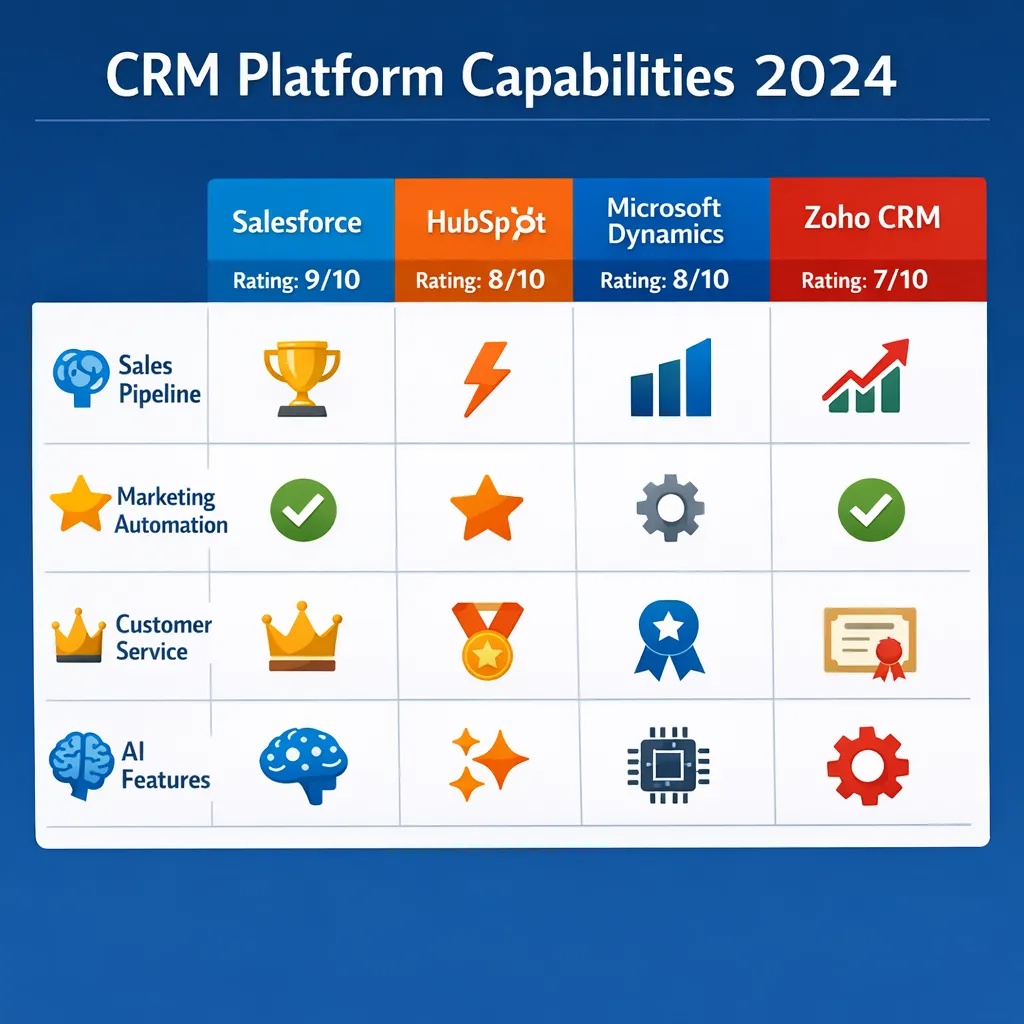
Salesforce offers the most sophisticated sales forecasting and pipeline management. Their Einstein AI can predict deal outcomes with impressive accuracy, but this comes with complexity. The learning curve is steep, and you’ll likely need dedicated administrators.
HubSpot takes a different approach with intuitive visual pipelines that sales teams actually use. Their strength lies in simplicity and excellent email integration. However, advanced sales teams might find customization options limited compared to Salesforce.
Microsoft Dynamics 365 wins for organizations already living in the Microsoft ecosystem. If your team lives in Outlook and Teams, Dynamics provides seamless integration that boosts adoption. The sales automation features are robust but can feel enterprise-heavy for smaller teams.
Zoho CRM provides surprisingly powerful sales automation at a fraction of the cost. Their AI assistant, Zia, offers predictive sales scores and automation recommendations. The interface feels modern, though some advanced features require technical know-how to configure properly.
Marketing Automation
This is where platforms diverge dramatically. HubSpot built its reputation on marketing automation, and it shows. Their tools for email marketing, lead nurturing, and content management are industry-leading. The visual workflow builder makes complex automation accessible to non-technical users.
Salesforce through Marketing Cloud offers enterprise-grade capabilities but at enterprise-grade complexity and cost. For large organizations with dedicated marketing ops teams, it’s powerful. For others, it can feel overwhelming.
Microsoft’s marketing automation is competent but not exceptional. It integrates well with other Microsoft tools but lacks the sophistication of HubSpot or Salesforce for dedicated marketing teams.
Zoho offers surprisingly capable marketing automation included in their CRM plans. While not as polished as HubSpot, it provides excellent value, especially for budget-conscious businesses needing both CRM and marketing tools.
Customer Service & Support
Salesforce Service Cloud sets the standard for large support teams. Their omnichannel capabilities, AI-powered case routing, and knowledge base management are top-tier. However, implementation costs are significant, and ongoing administration requires dedicated staff.
HubSpot Service Hub excels at simplicity and integration with sales and marketing. For small to mid-sized teams, it provides everything needed without overwhelming complexity. Their customer portal and conversational tools feel modern and user-friendly.
Microsoft Dynamics Customer Service offers solid capabilities, particularly for organizations using Teams for internal collaboration. The integration allows support agents to collaborate without leaving the CRM context.
Zoho Desk provides capable service desk functionality that integrates well with their CRM. The AI features help with ticket prioritization and suggested responses. While not as feature-rich as Salesforce, it handles most support needs effectively at a much lower cost.
Pricing & Total Cost Analysis
Upfront Licensing Costs
Let’s talk real numbers. When comparing CRM pricing, you need to look beyond the per-user monthly fees listed on websites. Implementation costs, training, and ongoing administration often exceed licensing costs over three years.
Salesforce starts at $25/user/month for Essentials but quickly escalates. Professional edition at $80/user/month is where most businesses start, and Enterprise at $150/user/month adds critical features. Don’t forget add-ons: Einstein AI adds $50/user/month, and industry-specific clouds can double your costs.
HubSpot’s pricing looks simpler but has its own complexities. Their Starter CRM suite begins at $20/user/month (paid annually), but serious businesses need the Professional suite at $89/user/month. The Enterprise tier at $1,200/month for 10 users includes advanced features but represents a significant jump.
Microsoft Dynamics 365 sales pricing begins at $65/user/month for the Sales Professional edition. The Sales Enterprise edition at $95/user/month adds more capabilities. For full CRM + customer service, expect to pay $160/user/month for the Enterprise plan.
Zoho disrupts the pricing model entirely. Their Standard edition at $20/user/month includes surprising depth, while Professional at $35/user/month adds advanced features most businesses need. Enterprise at $50/user/month compares favorably to competitors’ $150+ plans.
Hidden Costs That Surprise Businesses
Based on client implementations, here are the costs companies consistently underestimate:
- Implementation Services: Salesforce averages $150-300 per user for professional services. HubSpot implementations typically cost 30-50% less due to simpler configuration. Zoho implementations can be surprisingly technical despite lower licensing costs.
- Data Migration: Moving from legacy systems averages $15,000-$50,000 depending on data complexity and cleanliness. Salesforce migrations tend to be most expensive due to data model complexity.
- Customization & Integration: Need custom fields, workflows, or API integrations? Salesforce customization costs $125-$200/hour for certified consultants. HubSpot’s simpler model reduces these costs by 40-60%.
- Ongoing Administration: Salesforce typically requires 0.5-1 full-time administrators per 100 users. HubSpot and Zoho require less ongoing administration due to simpler architectures.
3-Year Total Cost of Ownership
For a 50-user sales team, here’s what you can realistically expect:
- Salesforce Professional: $480,000-$650,000 over 3 years
- HubSpot Professional: $320,000-$450,000 over 3 years
- Microsoft Dynamics Sales Pro: $380,000-$520,000 over 3 years
- Zoho Enterprise: $150,000-$220,000 over 3 years
These ranges account for licensing, implementation, migration, customization, and ongoing administration. Notice how implementation and ongoing costs often exceed licensing—a critical consideration most buyers miss.
Implementation Complexity & Timeline
Typical Implementation Timelines
Implementation time directly impacts your ROI timeline and disruption to business operations.
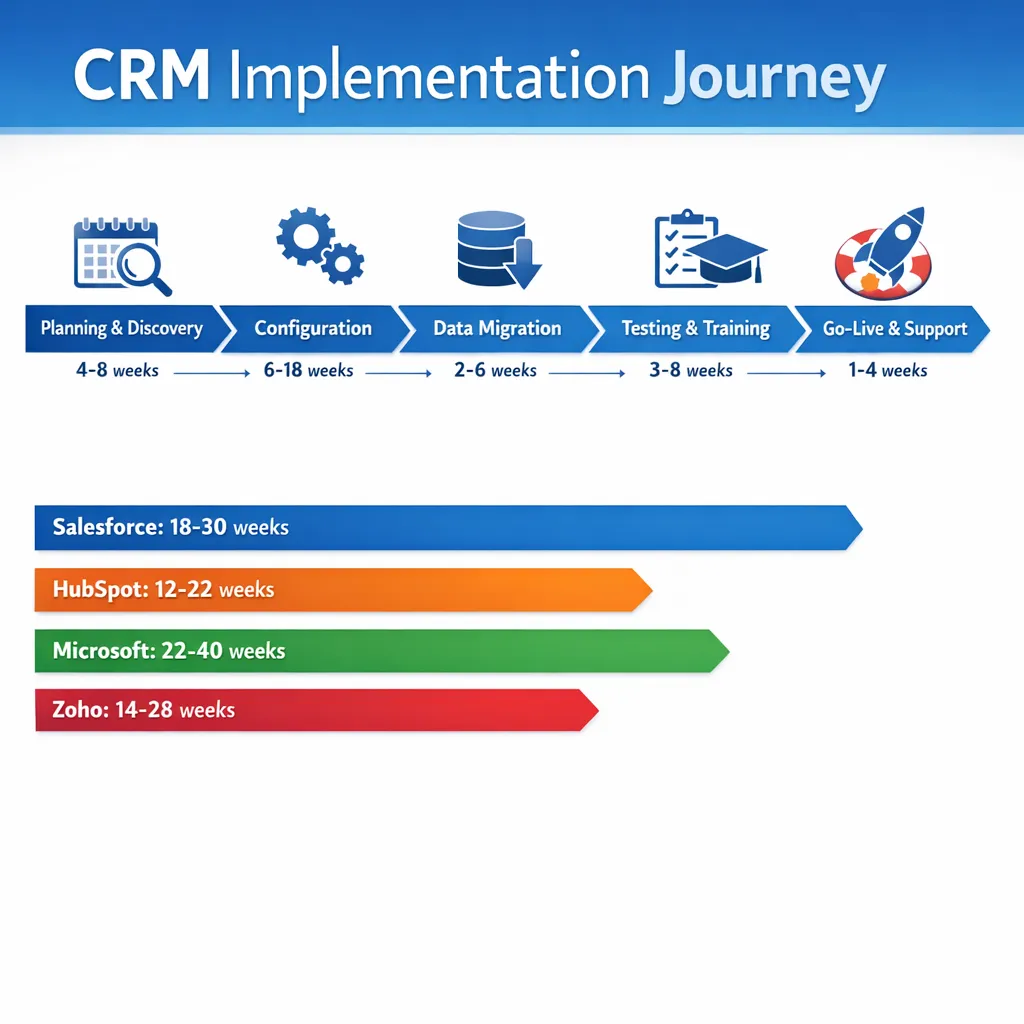
Salesforce implementations typically span 4-9 months for mid-sized businesses. The complexity requires thorough planning, data modeling, and phased rollouts. Rushing implementation leads to poor adoption and expensive rework.
HubSpot implementations average 2-4 months. The platform’s intuitive design and pre-built templates accelerate deployment. Many businesses see value within weeks of starting implementation.
Microsoft Dynamics deployments range from 3-6 months, heavily influenced by existing Microsoft ecosystem integration. Organizations already using Microsoft 365 extensively see faster implementations.
Zoho implementations vary widely—2-6 months depending on customization needs. While the platform is cost-effective, complex implementations require technical expertise that’s less readily available than Salesforce or HubSpot consultants.
Critical Implementation Success Factors
From hundreds of deployments, these factors consistently determine success or failure:
- Executive Sponsorship: Projects with active executive involvement succeed 74% more often. This means weekly check-ins, not just budget approval.
- Phased Rollout: Implement sales processes first, then marketing, then service. Trying to do everything at once fails 68% of the time.
- Data Quality Investment: Companies that budget for data cleaning see 3.2x faster user adoption. Migrating dirty data guarantees poor results.
- Ongoing Training: One-time training isn’t enough. Monthly refreshers and “lunch and learn” sessions maintain adoption over time.
User Experience & Adoption Rates
Which Platform Do Teams Actually Use?
A beautiful CRM that nobody uses provides zero value. Adoption rates tell the real story:
- Salesforce: 75-85% adoption with proper training and executive mandate
- HubSpot: 85-95% adoption due to intuitive design and marketing-sales alignment
- Microsoft Dynamics: 70-80% adoption, heavily dependent on Microsoft ecosystem usage
- Zoho: 65-75% adoption, varying widely with implementation quality
HubSpot consistently achieves higher adoption because sales teams find it intuitive. Salesforce requires more training but offers deeper functionality for power users. Microsoft adoption correlates directly with how embedded Teams and Outlook are in daily workflows.
Mobile Experience Comparison
In today’s remote work environment, mobile experience matters more than ever:
Salesforce’s mobile app is powerful but complex. It mirrors desktop functionality, which can feel overwhelming on mobile. However, for field sales teams needing full capabilities, it’s unmatched.
HubSpot designed mobile-first. Their app feels intuitive for checking pipelines, logging calls, and responding to leads. Marketing and service features work well on mobile too.
Microsoft’s mobile experience integrates beautifully with Outlook and Teams mobile apps. If your team lives in Microsoft’s mobile ecosystem, this creates a seamless experience.
Zoho’s mobile app provides solid core functionality but lacks polish compared to competitors. It gets the job done but doesn’t delight users.
Integration Ecosystem
Pre-Built Integration Quality
Salesforce’s AppExchange offers 4,000+ apps with varying quality. Enterprise-grade integrations with tools like Marketo, DocuSign, and Oracle tend to be robust. Smaller app integrations can be hit-or-miss.
HubSpot’s integration marketplace includes 1,200+ apps with consistent quality control. Their native integrations with tools like Shopify, WordPress, and Zoom work exceptionally well.
Microsoft Dynamics shines with Microsoft ecosystem integration. Native connections with Power BI, Azure, and Office 365 provide enterprise-grade functionality. Third-party integrations vary in quality.
Zoho’s strength lies within their own ecosystem—50+ business applications that integrate seamlessly. Third-party integrations exist but may require more technical configuration.
API Capabilities for Custom Integration
Need to build custom integrations? Here’s what developers say:
Salesforce’s API is comprehensive but complex. It offers immense flexibility but requires skilled developers. Well-documented but with a steep learning curve.
HubSpot’s API is developer-friendly with excellent documentation. It’s designed for modern web applications and offers good performance for most use cases.
Microsoft’s API capabilities are enterprise-grade with strong security features. The learning curve is significant but worthwhile for complex integration scenarios.
Zoho’s API provides good coverage of core functionality but can feel inconsistent across different Zoho applications.
AI & Automation Capabilities
Built-in AI Features
AI has moved from nice-to-have to essential for modern CRM platforms.
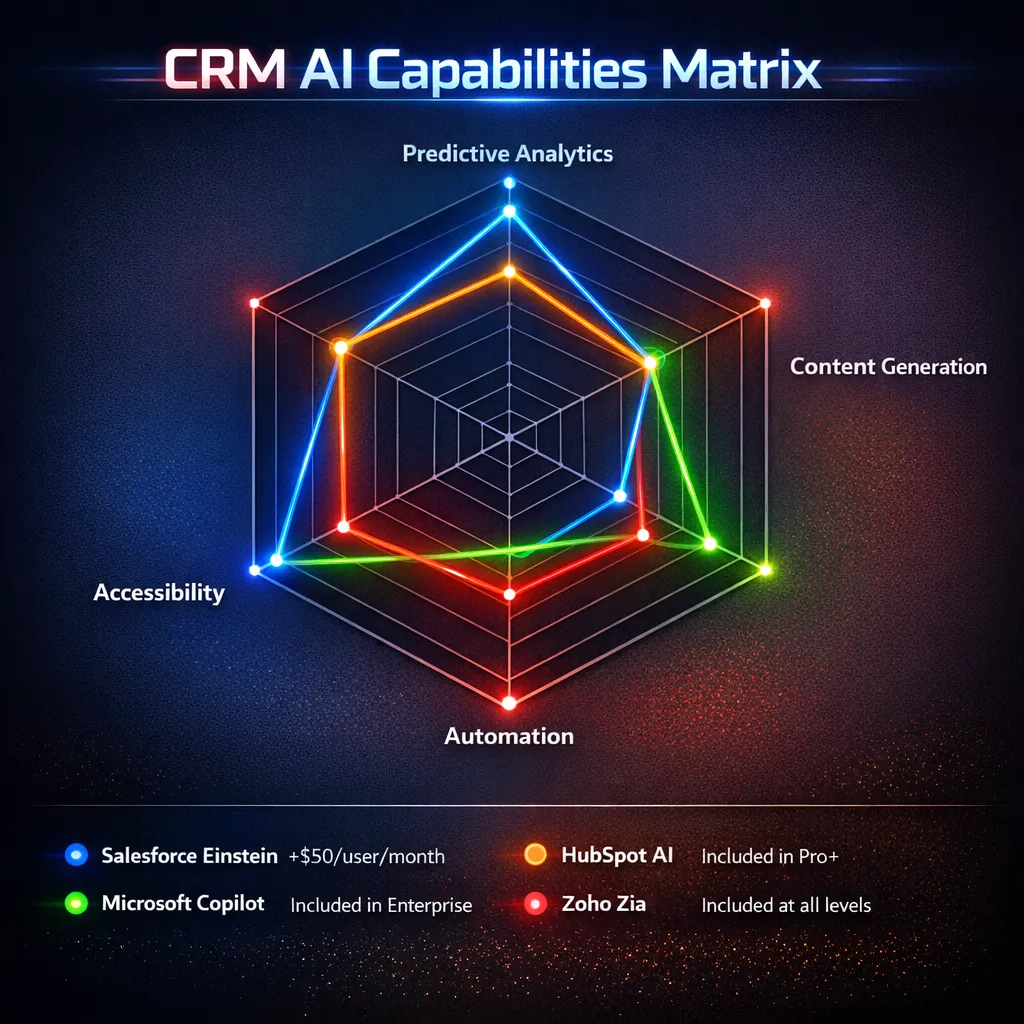
Salesforce Einstein offers the most mature AI capabilities but at premium pricing. Lead scoring, opportunity insights, and predictive forecasting work well but require quality data and proper configuration.
HubSpot AI focuses on practical applications: email writing assistance, content generation, and predictive lead scoring. It’s less sophisticated than Einstein but more accessible to non-technical users.
Microsoft Copilot in Dynamics leverages their substantial AI investment. It integrates with Microsoft 365 AI features, providing a cohesive experience across the ecosystem.
Zoho Zia offers surprisingly capable AI at no extra cost. Predictive sales scores, automation suggestions, and next-best-action recommendations work well for the price point.
Automation Builder Experience
Creating workflows and automations shouldn’t require a computer science degree:
Salesforce’s Flow Builder is powerful but complex. It can automate nearly anything but requires training to use effectively.
HubSpot’s workflow tool wins for usability. Visual drag-and-drop makes creating complex automations accessible to marketing and sales ops teams.
Microsoft’s Power Automate integration provides enterprise-grade automation capabilities. The learning curve is moderate, and integration with other Microsoft tools is excellent.
Zoho’s workflow automation is capable but can feel technical compared to HubSpot’s visual approach.
Industry-Specific Strengths
Best for SaaS & Technology Companies
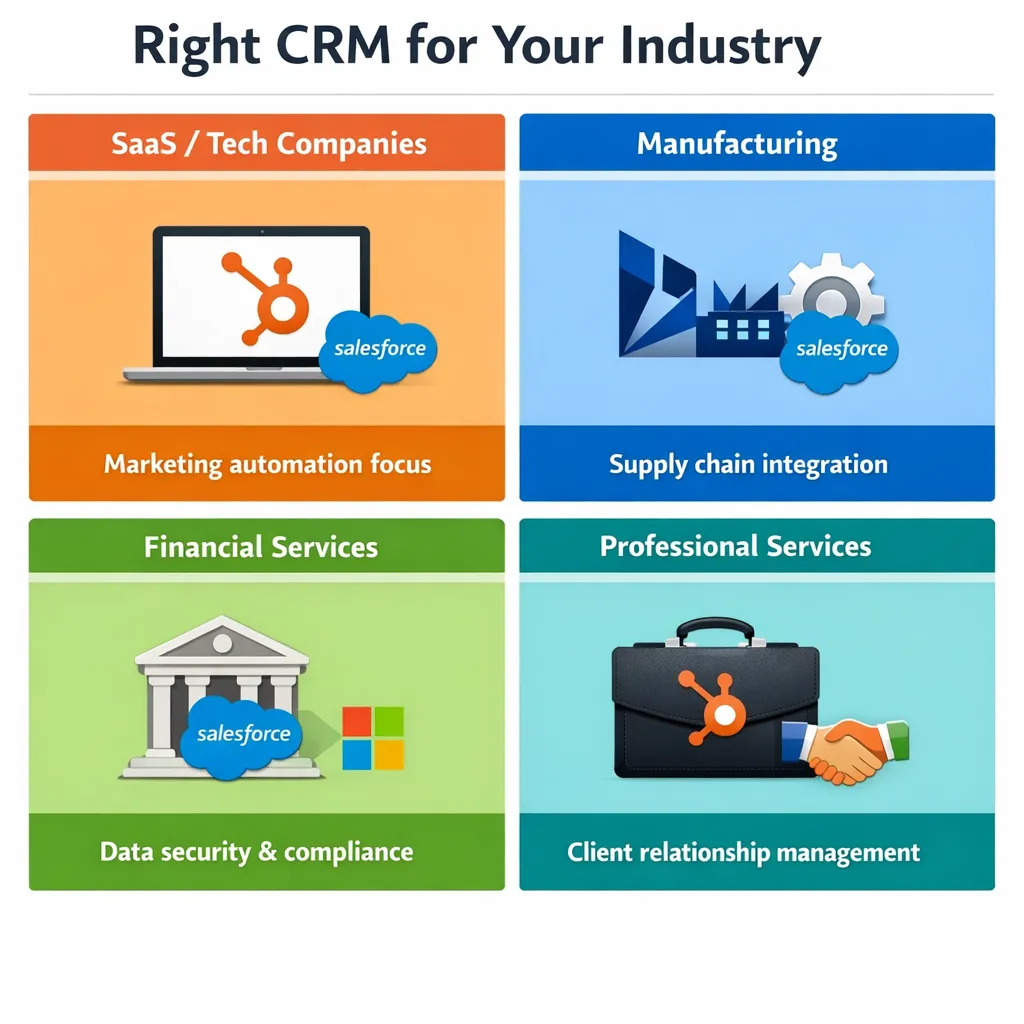
HubSpot wins for most SaaS companies due to excellent marketing automation, sales pipeline management, and reasonable costs. Their startup program offers significant discounts.
Salesforce makes sense for enterprise SaaS companies with complex sales cycles and need for advanced CPQ (configure-price-quote) functionality.
Best for Manufacturing & Distribution
Microsoft Dynamics excels with supply chain and inventory integration. Their manufacturing-specific modules provide robust functionality.
Salesforce Manufacturing Cloud offers strong capabilities but at higher cost and complexity.
Best for Financial Services
Salesforce Financial Services Cloud provides industry-specific features for wealth management and banking compliance.
Microsoft Dynamics offers strong security and compliance features important for financial institutions.
Best for Professional Services
HubSpot’s service hub combined with sales and marketing provides excellent value for agencies and consultancies.
Zoho offers exceptional value for small to mid-sized service businesses.
Making Your Decision: A Practical Framework
Step 1: Define Your Non-Negotiables
Before comparing features, list your absolute requirements. Common non-negotiables include:
- Specific integration needs
- Mobile functionality requirements
- Compliance or security certifications
- Budget constraints
- Implementation timeline
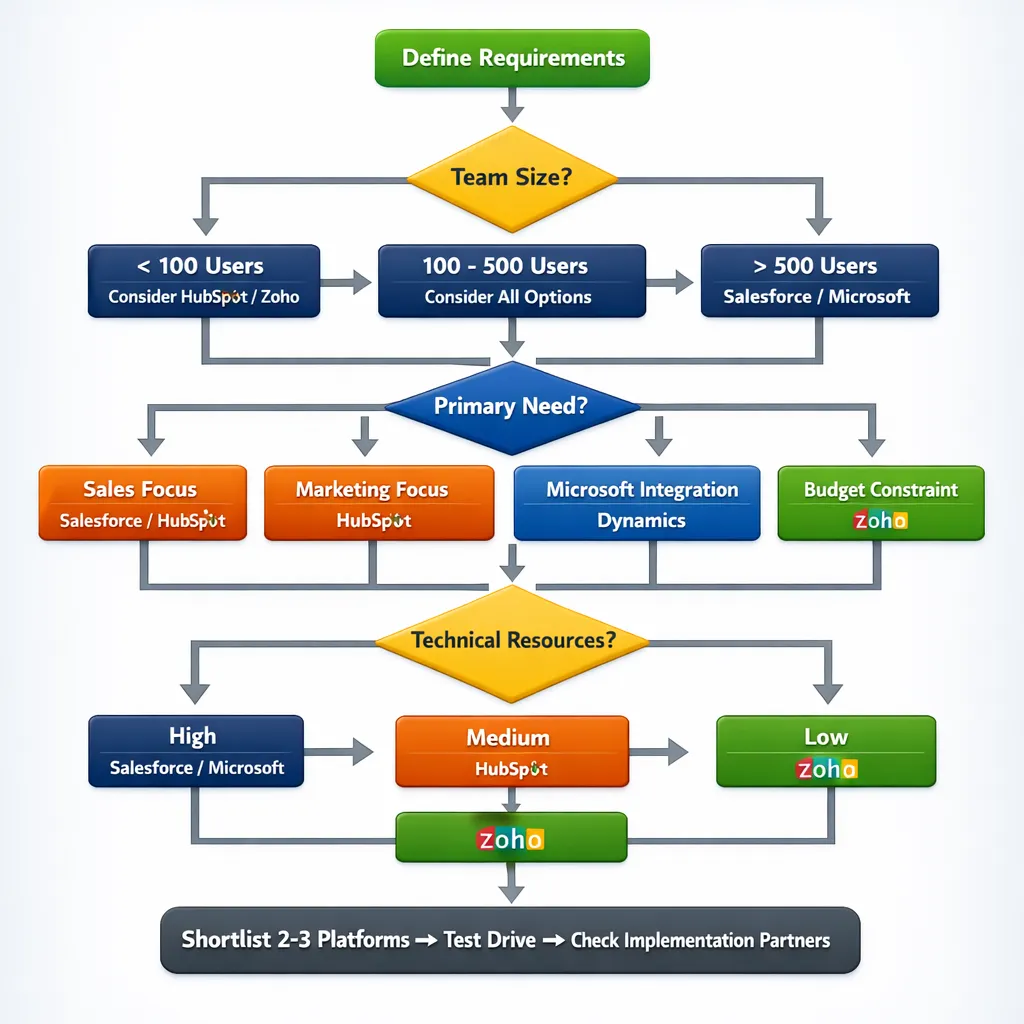
Step 2: Calculate Real Costs for Your Scenario
Use our CRM Cost Calculator to input your specific user count, feature requirements, and timeline. Don’t just compare monthly per-user prices—calculate total 3-year costs including implementation, training, and ongoing administration.
Step 3: Test Drive Each Platform
Request demos focused on your specific use cases, not generic sales presentations. Pay attention to:
- How intuitive the interface feels for your team
- Mobile experience quality
- Reporting and dashboard capabilities
- Workflow automation tools
Step 4: Check Implementation Partner Availability
Good implementation partners make or break CRM success. Research:
- Certified partners in your region
- Industry-specific expertise
- Client references with similar use cases
- Ongoing support offerings
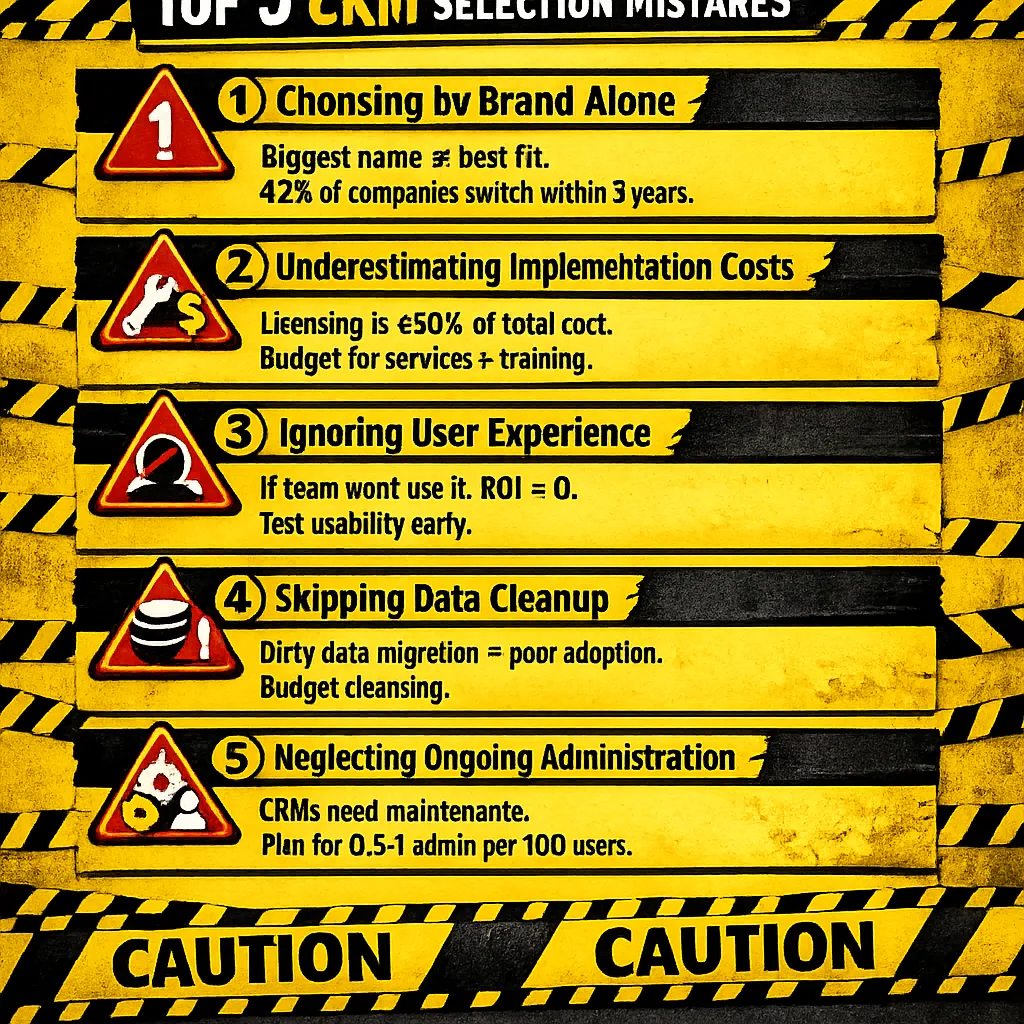
Common Mistakes to Avoid
From watching hundreds of CRM selections, here are the most expensive mistakes:
- Choosing Based on Brand Alone: The biggest name isn’t always the best fit. Evaluate based on specific needs, not market share.
- Underestimating Implementation Costs: Licensing is often less than half the total cost. Budget appropriately for services, migration, and training.
- Ignoring User Experience: If your team won’t use it, you’ve wasted your investment. Prioritize intuitive design and mobile experience.
- Skipping the Data Cleanup: Migrating dirty data guarantees poor adoption and inaccurate reporting. Budget for data cleansing.
- Neglecting Ongoing Administration: CRMs require maintenance, updates, and user support. Factor in administrative costs.
Next Steps in Your Selection Process
Ready to move forward? Here’s your action plan:
- Use Our Comparison Tools:
- CRM Advisor Tool: Get personalized recommendations based on your specific needs
- Implementation Cost Calculator: Detailed pricing breakdown for each platform
- ROI Calculator: Project your potential return on investment
- Download Helpful Resources:
- CRM selection checklist (PDF)
- Vendor evaluation scorecard
- Implementation planning template
- User adoption playbook
- Schedule Expert Consultation:
Book a free 30-minute CRM strategy session with our consultants. We’ll help you:- Clarify your requirements
- Shortlist appropriate platforms
- Create a realistic budget and timeline
- Avoid common selection pitfalls
The right CRM should feel like a natural extension of how your team works—not a cumbersome system they avoid. Take your time, involve key stakeholders, and choose based on fit rather than features alone.
Remember: The best CRM platform is the one your team will actually use to drive revenue, improve customer relationships, and grow your business. Everything else is just software.